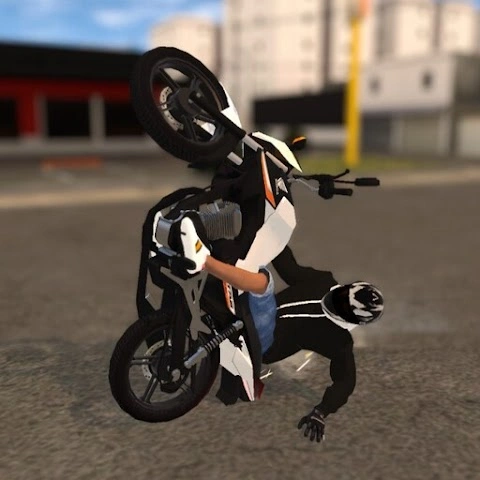
Elite Auto Brasil (also known as Elite Auto Brazil – Wheelie) is an exciting open-world driving and stunt game for Android. With its Brazil-inspired landscapes, customizable vehicles, and thrilling motorcycle wheelie mechanics, it’s one of the most engaging driving simulations on mobile.
But what if you want to enjoy the game on a PC or laptop with a larger screen and better performance? This guide covers all the ways to play Elite Auto Brasil on PC, using both the official Google Play version and the APK version through BlueStacks.
Why Play Elite Auto Brasil on PC?
Playing on PC offers several advantages:
- Bigger screen for more immersive driving and stunts.
- Better controls with keyboard and mouse, or a controller.
- Improved performance compared to some older mobile devices.
- Multitasking — you can run the game while keeping other apps open.
To achieve this, the most common method is using an Android emulator, and BlueStacks is one of the most reliable options available.
Installing BlueStacks
- Go to the official BlueStacks website and download the latest version for Windows or Mac.
- Run the installer and follow the instructions on the screen.
- Launch BlueStacks after installation.
- Make sure your BlueStacks instance is Android 11 (or higher):
- Click on this button (Instance Manager):

- The running instance must be Android 11 or higher. If it is not, click the Instance button on the left:

- Choose Fresh Instance.
- Select Android (the newer, the better).
- On the next screen, select Custom and make sure all boxes are checked:

- Click Download and wait for the instance to install. Then run it.
- Click on this button (Instance Manager):
Installing Elite Auto Brasil using Google Play
- Open the Google Play Store within BlueStacks. It is located in My Games tab at the top:

- Sign in with your Google account (the same one you use on your mobile device).
- In the Play Store search bar, type “Elite Auto Brazil”.
- Click Install and wait for the game to download.
- Once installed, click Open to launch the game.
Installing Elite Auto Brasil using APK
- You can download the official Elite Auto Brasil APK from eliteautobrasil.com.
- Drag and drop the downloaded APK file into the BlueStacks window or double click it.
- Wait for the installation to finish.
Recommended BlueStacks Settings for Elite Auto Brasil on PC
- RAM Allocation: At least 4 GB
- CPU Cores: 2 or more
- Graphics Mode: DirectX or OpenGL
- Resolution: 1280×720 (minimum) or higher for better visuals
- FPS Limit: 60 for smoother gameplay
These settings help ensure smooth driving and stunt performance, especially when performing long wheelies or exploring the open world.
If you have more questions, visit the FAQ page.